AI Script Generation
Use VS Code AI assistants to create reusable gallery tools with editable parameters. For live conversational Revit control, see the Paracore MCP.
The Two AI Workflows
| AI Script Generation | Paracore MCP | |
|---|---|---|
| Where | VS Code | Claude Desktop, Cursor, VS Code |
| What it builds | Gallery scripts with Params class | REPL code (top-level statements) |
| Execution | You click Run after configuring parameters | Immediate (after your approval) |
| Best for | Building reusable tools and add-ins | Quick data exploration, one-off mods |
The AI Generation Workflow
By using VS Code as your editor, you can generate Revit automations by describing your requirements to an AI coding assistant. The assistant generates tools with editable parameters that appear in the Paracore Parameters tab.
1. Create a New Script
In the Paracore Gallery, click New Script to create a fresh automation project.
2. Open the Project Workspace
Click Edit Script on your script card. Paracore will generate the project scaffolding directly in the script's folder.
- System Instructions: Paracore automatically generates a
.github/copilot-instructions.mdfile.
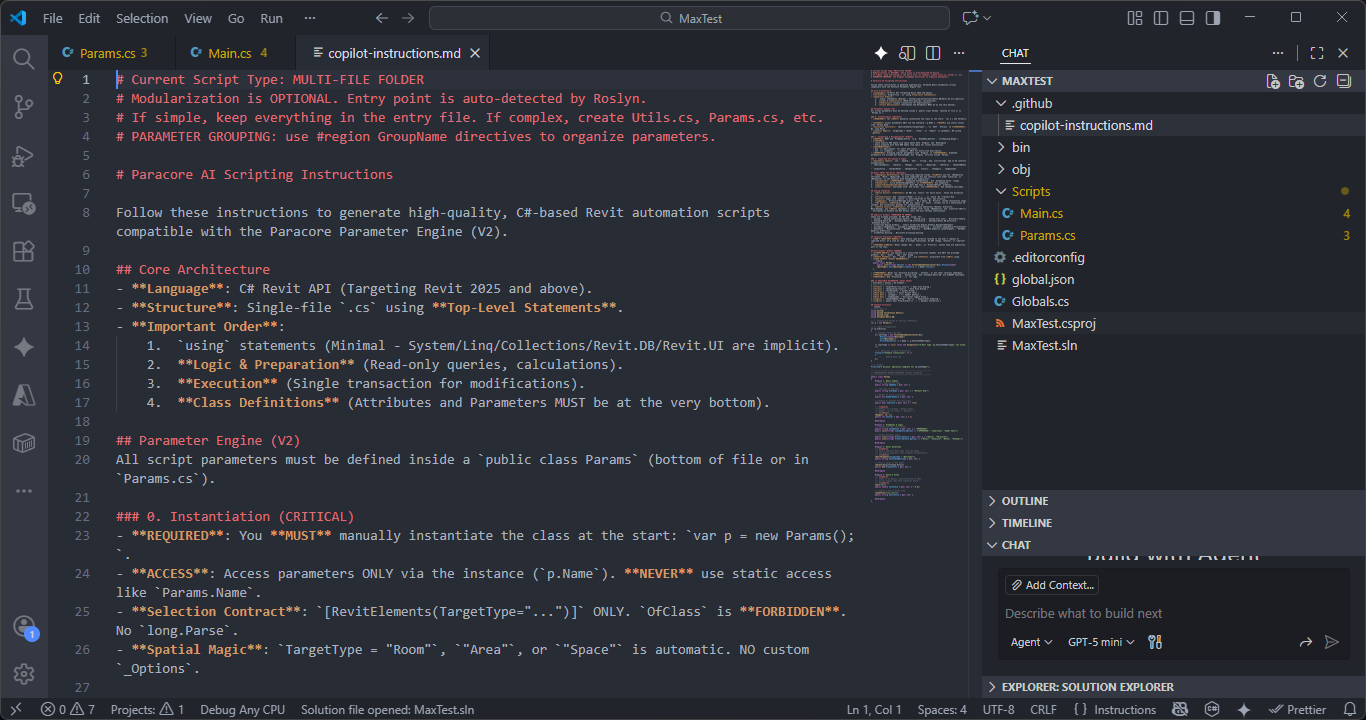
This file teaches your AI assistant about Paracore's structure — top-level statements, the Params class, fluent DSL methods, parameter name mappings, unit rules, and banned patterns. It ensures the AI generates code that works correctly with the Paracore engine.
3. Describe Your Task
Open your preferred AI assistant in VS Code (Copilot, Cline, Cursor, etc.):
- Prompt: Describe what you want the script to do. For example: "Create a script that finds all walls shorter than a given length on a selected level and displays them in a table."
- Generate: The AI will use the system instructions to produce code with a
Paramsclass and proper Paracore conventions.
Pro Tip: The Existing Code Advantage While you can start with an empty file, having existing code in your script (even a small template) significantly improves AI accuracy. By seeing how you have already defined your
Paramsclass or execution logic, the LLM can more accurately reference and expand upon your existing work.
4. Configure and Run
- Focus back to the Paracore Desktop App. The new code is already synced.
- Go to the Parameters Tab. Any properties defined in the
Paramsclass appear as editable controls — dropdowns, sliders, toggles. - Configure the parameters and click Run Script.
- Refine: If the output isn't what you expected, continue the conversation with the AI assistant. Describe the changes you want and it will update the script. If there are compilation errors, copy the error from the History tab and paste it back into the AI conversation.
Choice of AI Assistant
You can use any AI extension available for VS Code:
- GitHub Copilot: Reads the
.github/copilot-instructions.mdautomatically and follows Paracore conventions. - Cline: Full access to your workspace files — ideal for multi-file gallery projects with helper classes.
- Cursor: Agent mode can read the instructions and generate complete Paracore scripts.
All of them read the same system instructions, ensuring consistent code quality regardless of which tool you choose.
Next: Learn about the Script Execution lifecycle.